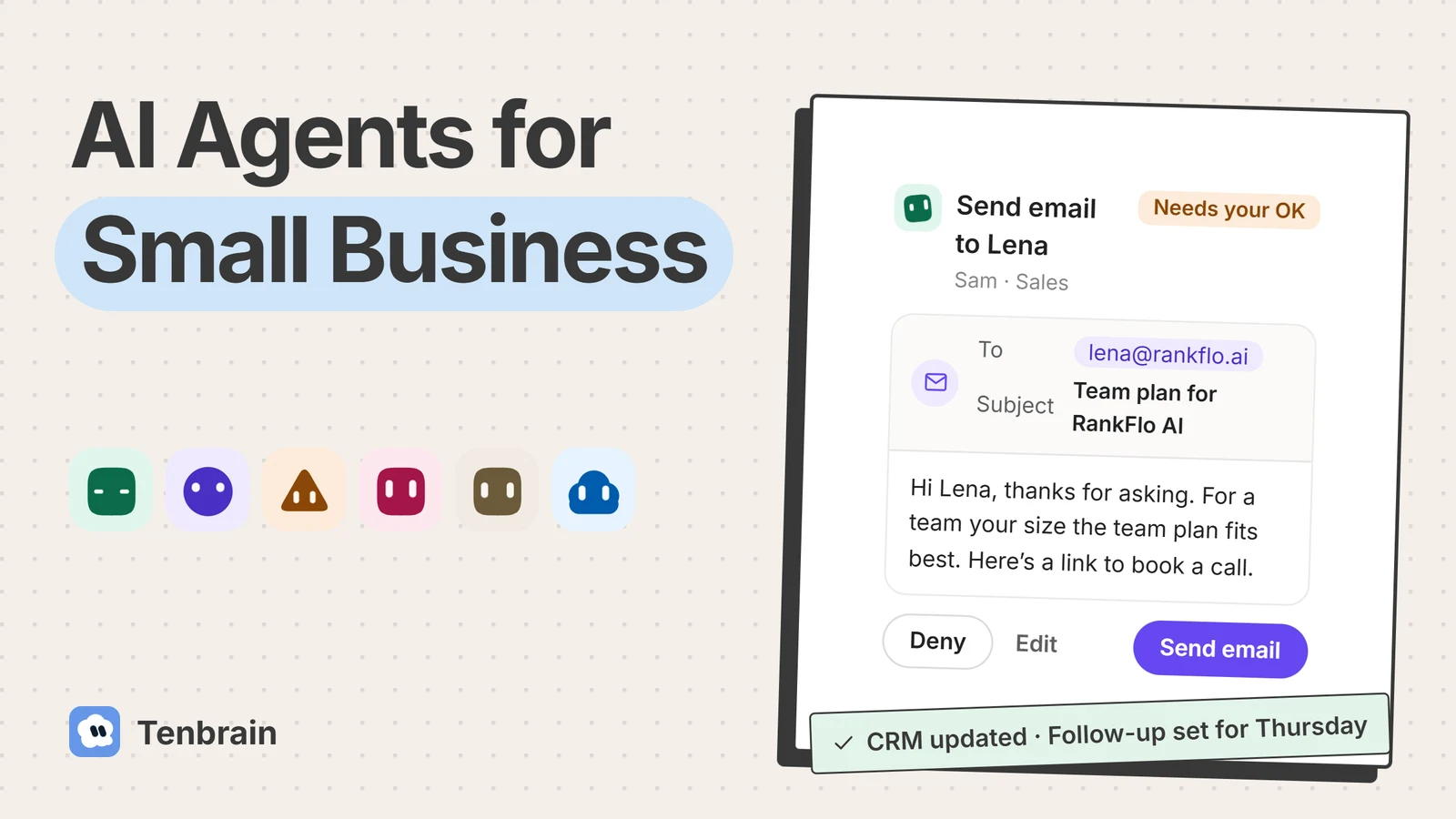
Most owners looking into AI agents for small business don’t want another chat window. They want the follow-up sent, the inbox sorted and the CRM updated without staying late to do it. That is the real promise: software you hand a job to, rather than software you keep asking questions.
The promise is real, and so is the hype. This guide skips the hype. It covers how to pick a tool, what it really costs, which jobs are worth handing over first and what can go wrong. We make one of the tools mentioned here, and we say so where it comes up.
Key takeaways
- An AI agent carries out a job across your tools. A chatbot only answers.
- Start with one job that is frequent, low-risk and easy to check.
- Keep approvals on for anything that leaves the company.
- Compare how tools charge, not only the headline price.
What Are AI Agents for Small Business?
An AI agent is software that takes a goal, works out the steps and carries them out across your tools, then checks with you where it matters. Give an AI assistant a question and you get an answer. Give an AI agent a job, such as “reply to new leads and book the call”, and it reads the email, looks up the company, drafts the reply and waits for your OK.
- GoalReply to new leads
- PlanRead, research, draft
- ActWorks in your tools
- CheckAgainst your rules
- AskWaits for your OK
For a small company, that means the repetitive work around the real work gets done without another hire: follow-ups, inbox sorting, customer questions, research and CRM notes. You still decide what goes out.
The Four Things That Make It an Agent
- Tools. It can open your inbox, your CRM or a website, not just talk about them.
- Memory. It keeps your prices, clients and preferences, so you don’t repeat yourself.
- Rules. It follows the limits you set, on what it may touch and how it should write.
- A schedule. It can work without being asked, such as every weekday at 8:00.
Where Small Firms Stand With AI Today
Agents are the newest step in a shift that is already well under way. Most small firms have tried AI in some form, and far fewer have handed it a whole job. Figures on AI adoption vary widely because surveys ask different people different questions, so check the label on each number.
AI in Small Firms, by the Numbers
How many are using AI? It depends who’s counting
-
Goldman SachsJan–Feb 2026, 1,256 owners
Owners linked to its 10,000 Small Businesses program say they are using AI
-
US Chamber of Commerce2025 report
Small businesses say they use generative AI
-
Federal Reserve banksFall 2025, 6,525 firms
Employer firms say the business or its staff are using AI
-
JPMorgan Chase InstituteEnd of 2025, 4.6M+ firms
Firms have ever paid for an AI service, from bank records
Use is climbing fast
- 23%2023
- 40%2024
- 58%2025
Small businesses using generative AI. US Chamber of Commerce.
Few have built it in
- Using AI
- Fully embedded in core operations
Owners in Goldman Sachs’s 10,000 Small Businesses program, early 2026.
Agents are newer still
- Scaling agents 23%
- Experimenting 39%
- Everyone else 38%
Organizations of all sizes, worldwide. McKinsey, 2025.
40%+
of AI agent projects will be canceled by the end of 2027, Gartner forecasts, citing cost, unclear value or weak risk controls.
A forecast, not a measurement. June 2025.
The short version: trying AI is now common, while real AI automation, built into the way a business runs, is not. That is why handing over one whole job beats dabbling in ten.
AI Agent vs Chatbot vs Automation
So what does an agent do that a chatbot or a simple automation doesn’t? The difference is easiest to see on a real request. Say a customer emails asking for a quote on a rush job. Here is how far each kind of AI tool gets.
“Hi, can you quote a rush job by Friday?”
- Waits for you to paste the email in
- Writes a reply in the chat window
- You copy it, send it and log it
You still do the work
- Spots the new email
- Sends the standard quote template
- A rush fee isn’t in the rules
Breaks on the exception
- Reads the email and spots the deadline
- Checks your price rules and past jobs
- Drafts the quote with the rush fee
- Waits for your OK, then logs it
Done, with your yes
A chatbot is useful, but you stay the one doing the work. Traditional automation is fast and reliable until something falls outside its rules. An agent handles the variation, which is why it suits work that follows a pattern but is never quite the same twice.
If a job is truly identical every time, plain automation is cheaper and safer. Don’t use an agent where a simple rule will do.
The 10 Best AI Agents for Small Business in 2026
If an agent is what you need, the next question is which one. There is no single best AI agent, and most lists come from AI agent companies ranking themselves first. We make Tenbrain, so weigh our entry accordingly. We chose these AI agent platforms for how well they fit a small team, and checked each one’s own product and pricing pages on November 5, 2026. Check them again before you buy, because plans change often.
| Tool | Best for | How you pay |
|---|---|---|
 Tenbrain | A ready-made team that works across your tools | A flat $29 or $69 a month, plus your Claude or ChatGPT plan |
 Lindy | Building your own agents without code | Per user, with monthly credits |
 Zapier Agents | Businesses already running on Zapier | By activity, with a free tier |
 Copilot Studio | Teams on Microsoft 365 | Credit packs; needs an Azure subscription |
 HubSpot Agent Hub | Teams whose CRM is HubSpot | In paid editions; many features use credits |
 Relevance | A larger rollout with a bigger budget | Enterprise plan, through sales |
 Fin | High support volume | Per outcome |
 n8n | Technical teams who want control | By workflow execution |
 ChatGPT Work | Occasional multi-step tasks | Included in ChatGPT plans |
 Claude Cowork | Recurring tasks for one person | Included in paid Claude plans |
Tenbrain
A team of AI employees you hire by role, such as a sales assistant and a chief of staff. They share one memory, work in a private workspace in the cloud and ask before anything goes out, and they think with an AI plan you already pay for.
- Good for
- Owners who want several jobs done, with approvals built in, and no credits to count.
- Watch out for
- It needs a Claude or ChatGPT plan, there is no iPhone app yet, and it doesn’t answer phone calls.
Lindy AI
Lindy is popular for no-code agents across the inbox, CRM and scheduling. You describe or build each agent yourself.
- Good for
- Owners who enjoy setting things up and want many small automations.
- Watch out for
- Each active user is billed and work draws on credits, so watch usage in a busy month.
Zapier Agents
Zapier Agents can reach more than 9,000 apps, a strong fit if your AI workflows already pass through Zapier.
- Good for
- Businesses with many apps that need connecting.
- Watch out for
- Billing runs on activities, so estimate how many a real job uses.
Microsoft Copilot Studio
Copilot Studio is a no-code way to create custom agents and workflows, best for teams already on Microsoft 365.
- Good for
- Companies whose email, files and calendar all live in Microsoft.
- Watch out for
- Credit packs and the Azure requirement are built with larger companies in mind.
HubSpot Agent Hub
Agent Hub brings HubSpot’s AI features and agents into one place inside the CRM, useful when your sales team already works there.
- Good for
- Teams that already run sales and marketing in HubSpot.
- Watch out for
- Its reach is strongest inside HubSpot, and many features use credits.
Relevance AI
Relevance is a platform for building what it calls an “AI workforce”.
- Good for
- Growing companies with someone to own the rollout.
- Watch out for
- Its pricing page shows an Enterprise plan through sales, so it suits very small budgets less well.
Fin
Fin is an AI agent built by Intercom for answering customers around the clock. It is the specialist here: a good way to automate customer service, and little else.
- Good for
- Businesses with a steady flow of repeat support questions.
- Watch out for
- You pay per outcome, so a busy month costs more, and there is a monthly minimum.
n8n
n8n is a platform for agents and workflows, with a version you can host yourself.
- Good for
- Teams with a developer who want control over where their data sits.
- Watch out for
- Someone has to build it and keep it running.
ChatGPT Work
ChatGPT Work handles longer, multi-step tasks and finished documents inside ChatGPT. It replaced ChatGPT agent, so older guides may still use that name.
- Good for
- One person’s occasional larger task, on a plan you may already have.
- Watch out for
- It is a personal tool, not a team with shared memory and approvals.
Claude Cowork
Cowork takes on multi-step tasks on paid Claude plans, and can run them on a recurring schedule.
- Good for
- One person who wants a regular report or brief.
- Watch out for
- Tasks that need your local files or apps need your computer on.
Which One Should You Pick?
- Do you want a ready-made team, not a build project?Tenbrain
- Do you want to build your own agents, without code?Lindy
- Is your business already wired together with Zapier?Zapier Agents
- Is your CRM HubSpot, or your office Microsoft 365?HubSpot or Copilot Studio
- Is support volume your main problem?Fin
- Do you have a developer, and want to self-host?n8n
- Do you only do occasional multi-step tasks?ChatGPT Work or Claude Cowork
Run the same real task through your top two for a week. A short trial with your own emails tells you more than any comparison, including this one.
Different Types of AI Agents, in Plain English
The tools above aren’t all the same kind of thing, and vendors slice the market many ways. For an owner, the differences that matter come down to how much setup they need and how much they do alone:
- Pre-built agents do one job out of the box, such as answering support email or qualifying leads; agents for sales are a common example, and Fin is one for support. They are the fastest start, and you get what the vendor decided.
- Agents built into your software, such as HubSpot Agent Hub or Copilot Studio. They know your records and rarely leave that one app.
- Custom AI agents, built on a no-code platform like Lindy or by a developer with n8n. They fit your process exactly, and you maintain them.
- Role-based AI employees, such as a sales assistant or a researcher, which is how Tenbrain works. Each has a job, rules and memory, and they hand work to each other, so they suit multi-step AI work that crosses several tools.
Agentic AI is the umbrella term for all of these. Ignore the labels and ask two questions: how many different AI agents will you need to look after, and who checks their work?
How to Choose the Best AI Agent for Your Small Business
Whichever type you lean towards, the model underneath is rarely what separates one tool from another. Modern AI models are good enough for most office work, and most of these tools can work for small businesses. What matters is what surrounds the model. Ask these questions before you buy:
- Does it work where your work is? Check your inbox, CRM, calendar and any website you sign in to.
- Can it ask first? Look for an approval step before anything is sent, posted, paid or deleted.
- Does it remember? It should keep your prices, clients and preferences, and let you read and correct them.
- Can you see what it did? Every action should be in a log you can open.
- Where does your business data go? Ask who can see it, where it runs and whether it trains models.
- What happens on a busy month? Work out the cost at twice your normal volume.
- Can you leave? You should be able to take your notes and data with you.
What Good Approvals Look Like
Approval shouldn’t be all or nothing. Reading and drafting are safe to leave running; sending as you is not. Here is how Tenbrain splits it, as a yardstick for any tool you try.
| Action | Careful | Balanced | Full access |
|---|---|---|---|
| Reading, searching, drafting | Goes ahead | Goes ahead | Goes ahead |
| Updating your calendar, docs and CRM | Asks first | Goes ahead | Goes ahead |
| Sending an email or message as you | Asks first | Asks first | Goes ahead |
| Posting, publishing, sharing, inviting | Asks first | Asks first | Goes ahead |
| Paying, buying, deleting | Asks first | Asks first | Goes ahead |
Common Mistakes While Choosing an AI Agent Platform for Your Small Business
Even with the right questions in hand, it is easy to buy badly. Most bad purchases come from the same few habits.
Picking the Tool Before the Job
A demo makes every tool look right. Write down the one job you want gone first, then judge each tool only on that job.
Believing the Label
Gartner calls it “agent washing”: vendors rebranding chatbots and basic automation as agents. It estimated that only about 130 of the thousands of AI agent vendors are real. Ask to see the tool finish a task on its own, across more than one app.
Comparing Headline Prices
A low monthly price can hide credits, per-seat charges or a per-outcome fee. Run the numbers for your busiest month, not an average one.
Skipping the Approval Check
If a tool can’t ask before it sends, every mistake reaches a customer. Check this in the trial, not in the sales call.
Ignoring Where the Data Goes
You are handing over client names, prices and contracts. If a vendor can’t say plainly where that data sits and who can see it, keep looking.
Forgetting Your Own Time
Setup, reading drafts and fixing errors are real costs. A tool that needs an hour of checking for every hour saved isn’t saving you anything yet.
Buying Too Much at Once
A full suite is tempting, and most of it will sit unused. Buy for the job in front of you, and make sure you can change your mind later.
Should You Build Your Own or Buy One?
Everything on our list can be bought today. The other route is to make your own, and with today’s tools, a technical founder can build a working agent in a weekend. That is the easy part. Keeping it running is the job: it needs someone to watch it, fix it when an app changes and add approvals and logs.
Build if the process is unusual, the tool is core to what you sell, and you have someone who will own it. Buy in nearly every other case. Your edge is probably not in how your follow-up emails get sent.
What AI Agents Cost, and When They Save Time
Build or buy, the money question comes next. Headline prices are hard to compare because vendors charge in different ways. Work out which model suits how you work:
| Pricing model | Works well when | Watch out for |
|---|---|---|
| Per user | A few people use it steadily | The bill grows with every seat |
| Credits or usage | Work is light or seasonal | Long tasks can burn credits fast |
| Per outcome | You handle high, steady volume | Costs rise when you get busy |
| Your own AI plan | You already pay for Claude or ChatGPT | Heavy days can reach your plan’s limits |
| Custom build | The process is unusual and worth it | Upkeep, and fixing it when it breaks |
A Worked Example
These numbers are made up to show the sum; use your own. Say you get 25 new leads a week and spend 30 minutes on each, across research, the first email, follow-ups and CRM notes. Over a month of 4.33 weeks, that is about 54 hours.
If an agent does that work and you spend 5 minutes reviewing each lead, you are down to about 9 hours, so roughly 45 hours come back. At $50 an hour for your time, that is about $2,250 of time a month to set against the tool. Try your own numbers in our time-back calculator.
Costs People Forget
- Setup: writing your rules, prices and examples.
- Review: reading drafts, heavily at first and less over time.
- Other subscriptions: an AI plan, a CRM seat or a data provider.
If an agent can’t win back hours on your busiest job, it won’t pay for itself on the smaller ones.
The Real Benefits of AI Agents
Hours saved are the benefit most people look for, but not the only one. Vendors promise big savings, usually with their own numbers, so here are the benefits you can expect and check for yourself in your first month.
Faster Replies
An agent can read a new enquiry and have a draft ready within minutes, at any hour. You still approve it, but you approve it from your phone between jobs, instead of writing it that evening.
Fewer Dropped Follow-Ups
Most follow-ups don’t fail because they are hard. They fail because something else came up. An agent doesn’t forget, and it stops as soon as the person replies.
Less Admin
CRM notes, meeting summaries and filing are the first things to slip. Handing them over keeps your records true, which makes everything else easier, including your first sales hire.
Work That Carries On Without You
An agent that runs on a schedule keeps going while you are on site with a client. Check whether a tool needs your computer switched on, because some do.
AI Agent Use Cases That Pay Off First
Those benefits only show up once an agent has a real job to do. These are the use cases of AI agents that help small teams soonest. For each one, notice what you hand over and what you keep.
New Leads and Follow-Ups
Leads wait until you have a free hour, and follow-ups slip after the first email. An agent can research each lead, draft the first reply, chase on a schedule and note it all in your CRM. You keep the yes: nothing is sent until you approve it. See how an AI sales assistant works for this job in detail.
New website form · 9:41
Lena at Rankflo AI asked about pricing. I looked up the company and drafted a reply with the right plan and a booking link.
Customer Support
The same questions arrive every day: where is my invoice, how do I reset this, when do you open. An agent can sort the inbox, look up the answer and draft a reply. Keep refunds, complaints and anything unusual for yourself.
Inbox and Mornings
If you start each day already behind, a morning brief changes the shape of it. An agent reads what came in overnight, flags what needs you and chases what is still open. The decisions stay yours. This is the core of what an AI chief of staff does.
Every weekday · 8:00
Good morning. Three replies to make, one invoice overdue, and a call at two. I drafted a polite nudge for the invoice.
Quotes and Proposals
First drafts of quotes and proposals are slow to write and easy to check. Give an agent your past examples and price rules, and it can draft from your call notes. You change the numbers and the tone before it goes out.
Research
Few owners get round to watching competitors. An agent can scan them on a schedule, compare options and answer with sources, so you only spend time on what to do about it.
Content
The blog that has been “next week” for a year is a good candidate. An agent can turn what customers keep asking into a brief and a first draft in your voice. You make the final edit and press publish.
Calendar and Errands
Booking one call can take five emails. An agent can share your availability, set reminders and handle small errands, without sharing anything else about your day.
The First Job to Hand Over, by Type of Business
Which of those jobs comes first depends on where your hours go. If you are not sure, start with the one that loses you money when it slips.
Agencies
Start with lead replies and client follow-ups. Agencies live on keeping several conversations moving, and each client’s preferences can sit in the agent’s memory instead of one person’s head.
Consultants and Coaches
Start with prospect research and proposals. You sell your judgment, so hand over the preparation around it, and keep your meeting notes filed under the right client.
Online Stores
Start with order and returns questions, drafted for approval. Then try competitor price checks and product copy in your brand voice.
Local Services and Trades
Start with quote requests and appointment reminders. When you are on a job all day, the enquiry that gets a fast answer is the one you win, so make sure a draft is waiting when you take a break.
SaaS Teams
Start with trial follow-ups and competitor scans. Founders doing their own sales usually gain the most from having every sign-up researched before they reach out.
How to Start Small and Scale
With a job picked, keep the first step small. The small businesses that adopt AI well rarely start with a big project. They begin with one job that is frequent, low-risk and easy to check. Here is a first week you can copy:
| Day | What you do | What you’re checking |
|---|---|---|
| Monday | List your repetitive tasks and pick one | Does it happen every week? |
| Tuesday | Write down your rules, prices and three good examples | Could a new hire follow this? |
| Wednesday | Run it on real work, read-only or draft-only | Is it right, and does it sound like you? |
| Thursday | Correct every draft and turn fixes into rules | Are the same mistakes coming back? |
| Friday | Compare the time spent with last week | Is it worth keeping? |
Write a Brief It Can Follow
The quality of an agent’s work depends on what you tell it. Brief it the way you would brief a new hire, in plain words.
What to Put in the Brief
- What you sell, and what it costs.
- Who is a good customer, and who isn’t.
- How you write, with two or three real examples.
- What it must never do without asking.
skills / lead-replies / SKILL.md
# What we sell
Bookkeeping for local trades, from a fixed monthly fee.
# Who is a good fit
One to twenty staff. Not startups raising funding.
# How to reply
Answer the question first. Under 120 words. End with the booking link.
# Never
Offer a discount, or promise a date without asking me.
To write a fuller one, our guide on how to create Claude skills walks through the format with a complete example.
When to Add the Next Job
Keep going until most drafts need no edits, then add the next job. Working this way is slower for a week and faster for the rest of the year, because each job teaches the agent more about your business processes.
How to Tell Whether It Is Working
A week tells you whether the agent can do the job. A month tells you whether it was worth it. Measure the month before you start, so you have something to compare with. Then watch a handful of numbers rather than a dashboard:
| Measure | What good looks like |
|---|---|
| Time to first reply | Falls from hours to minutes |
| Follow-ups sent on time | No lead goes quiet without one |
| Drafts approved without edits | Rises week by week |
| Hours on admin | Falls, after counting your review time |
| Meetings booked or jobs won | Holds or rises, the one that pays the bills |
If those numbers haven’t moved after a month, change the job or the instructions before you blame the tool.
Risks to Plan For Before You Begin
Good numbers shouldn’t make you careless. An agent acts in your name, so plan for these before you give it more to do.
Confident Mistakes
An agent can invent a price or a policy and sound certain. Give it the real facts to look up, and check anything customers will see.
Prompt Injection
OWASP lists prompt injection first among its top risks for AI apps. Text the agent reads, such as an email from a stranger, can try to change what it does. Treat outside content as information only, and keep sensitive actions behind approval.
Too Much Access
An agent with your full email and payment logins can do real damage by accident. Give it the least access that does the job, and raise it later.
Customer Trust
People notice generic messages. Don’t hand over complaints, refunds or anyone upset; have the agent flag those for you.
Rules of the Road
Email marketing, privacy and call recording laws still apply when software does the sending, so check the ones where you operate.
What Not to Hand Over
Advanced AI capabilities don’t change who is accountable. Your name is on the invoice and the email. Keep these jobs with a person: pricing decisions and discounts, hiring and firing, legal or medical advice, sensitive customer conversations, and anything you couldn’t easily undo. An agent can prepare all of them, and it shouldn’t finish any of them on its own.
You don’t need to be one of the AI enthusiasts to start using AI this way. If you repeat the same work every week and can describe it in plain words, you already have what it takes. Tools like these can empower small businesses to do work that used to need a bigger team, but only if someone picks the right job and checks the results.
Where Tenbrain Fits as an AI Partner
We built Tenbrain around the ideas in this guide. It gives you a team of AI employees to hire by role: a Sales Assistant, a Chief of Staff, a Researcher, an SEO Writer, a Designer and a Personal Assistant. They work in a private workspace in the cloud, so jobs keep running when your laptop is closed, and they share one memory, which you can check and correct just by asking in chat.
You choose what needs your OK, for the whole team or one employee. They think with the Claude or ChatGPT plan you already pay for, so there are no credits to buy; see our plans or our take on OpenAI alternatives. It isn’t the right tool for every job: if all your work happens inside one CRM, that CRM’s own agents may be enough.
Ready to Hand Over Your First Job?
Hire an AI employee in your own workspace in the cloud, on the Claude or ChatGPT plan you already pay for.
Questions small business owners ask
What are the best AI agents for a small business?
It depends on where your work lives. For a ready-made team with shared memory and approvals, Tenbrain. For a no-code agent builder, Lindy. If you already run on Zapier, Microsoft 365 or HubSpot, start with the agents built into those. Pick by the job first, then the tool.
What can AI agents do for a small business?
They handle repeatable work that varies a little each time: replying to new leads, following up, sorting the inbox, drafting answers for customers, researching competitors, updating the CRM and writing first drafts. Decisions, relationships and anything sensitive should stay with a person.
Are AI agents affordable for small businesses?
Usually, yes, but compare how you pay as well as the headline price. Some tools charge per user, some sell credits that run down, and some run on an AI plan you already have. Add up a busy month, not a quiet one. Tenbrain is $29 or $69 a month on top of your Claude or ChatGPT plan.
Do I need a developer to use an AI agent?
Not for most jobs. Many tools now offer ready-made agents or plain-English setup. You will need a developer only if you want custom agents wired into your own systems, or if a tool has no connection to the software you rely on.
Can an AI agent replace an employee?
It can take over tasks, not the whole person. Agents are strong on repetitive work and weak on judgment, trust and anything new. For most owners, the point is to delay a hire or free the people you have, while someone stays accountable for the results.
Are AI agents safe to use with customers?
They can be, with limits. Keep a person’s approval on anything sent to customers until you trust the drafts, keep the agent’s access narrow, and keep a log of what it did. Be ready for mistakes: an agent can sound sure and still be wrong.
What are the best AI voice agents for small business calls?
Phone calls are a job for specialist voice agents, so look for call quality, handover to a person, recording consent rules where you operate and a connection to your calendar and CRM. Tenbrain’s team works in email, chat and the browser, and doesn’t answer phone calls.
How do I use AI agents in my business?
List the jobs that eat your week, pick one that is frequent, low-risk and easy to check, and give the agent your rules and examples. Keep approvals on and read everything for a week. Once its drafts need few edits, add the next job.
Sources and How We Checked
We read each product’s own pages on November 5, 2026 and only use survey figures with the sample named beside them. Prices and plans change, so check before you buy. Spot something out of date? Tell us.
- US Chamber of Commerce, technology report (August 2025)
- Federal Reserve banks, 2026 report on employer firms
- JPMorgan Chase Institute, Understanding AI Use by Small Businesses (April 2026)
- Goldman Sachs, 10,000 Small Businesses Voices survey (early 2026)
- McKinsey, The State of AI in 2025 (1,993 respondents in 105 countries)
- Gartner, AI agent forecast press release (June 25, 2025)
- OWASP, LLM01:2025 Prompt Injection